


My Town : Wedding
4.1120.00 Reviews
App Specs
- Version
- 7.03.09
- Updated On
- License
- $4.49
- Downloads
- 50,000+
- Developer
- My Town Games Ltd
- Categories
- Educational
- Platform
- Android
Screenshots

 Analysis by AppCompare
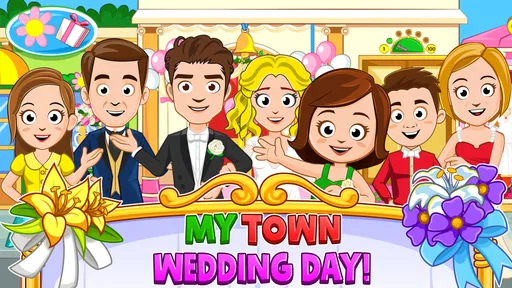
I approached My Town : Wedding as a gentle, open-ended party game rather than a traditional challenge-based title. Its central idea is easy to understand: prepare a wedding, arrange the people and objects around the celebration, and create your own little story. That makes it a natural fit for children and families who prefer imaginative play to timers, combat, or complicated rules.
What stood out to me first was how quickly the game communicates its purpose. You are not asked to master a long tutorial before doing anything interesting. Instead, the wedding setting gives you an immediate reason to explore. I could begin by looking around, moving characters, and deciding how I wanted the event to feel. That low-pressure start is one of its strongest qualities, especially for a first-time player.
My Town Games Ltd developed this educational game for an Everyone audience. It costs $4.49, with optional in-app purchases priced at $0.99 per item. The game has an average rating of 4.1 from over 600 ratings, and it has passed 50 thousand installs. Those figures suggest that it has found a modest but interested audience, although the rating also hints that the experience will not suit every family equally.
What the wedding setting actually offers
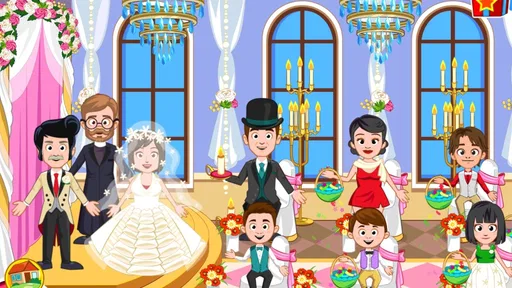
The main appeal is pretend play. Rather than following one fixed storyline, I treated the wedding as a stage where I could arrange a sequence of small moments: getting people ready, placing them where they made sense, and turning a quiet scene into a celebration. This is much closer to playing with a digital dollhouse than completing a conventional level.
That distinction matters. If you expect missions, increasingly difficult puzzles, or a clear victory screen, the game may feel unusually loose. There is no pressure pushing me toward one correct wedding. The satisfaction comes from making choices and watching the scene become more personal. For a child who enjoys inventing dialogue and events, that freedom can last longer than a short scripted story.
I also found the wedding theme useful for shared play. An adult can ask a child to decide who should attend, what should happen first, or how the celebration should end. Those questions turn simple tapping and dragging into conversation. The game does not need to be treated as a lesson to have educational value; it encourages sequencing, social imagination, and storytelling naturally.
At the same time, the theme is quite specific. Someone looking for a broad city sandbox, a building game, or a collection of unrelated mini-games may find the focus narrow. The wedding concept is the reason to open it, so players who are not interested in ceremonies, parties, or character-based stories are unlikely to get much from it.
Worth Reading Before You Choose

EA SPORTS FC Mobile 26 Is a Bigger Football Game, but It Takes Time

Flipboard Shows What News Apps Must Do Beyond the Feed

Switching to Android Auto Means Rethinking Your Driving Routine

Google Calendar Makes a Crowded Week Easier to Manage

Ludo King Makes the Most of the Minutes Between Plans

Baby Panda World Brings Quick Play to Modern Phones, but Its Game Library Feels Busy
Who will enjoy it most
I would recommend it most to younger players who like arranging characters and making up their own scenes. It also works well for siblings or a parent and child sitting together with one device. One person can suggest an event while the other organizes the scene, which gives the game a cooperative feeling even when the interaction itself is simple.
It is less suitable for a player who needs constant rewards or a measurable objective. There is no reason to keep playing once the creative idea has run out, except to invent another one. That is not a flaw in the same way it would be in a puzzle game; it is simply the trade-off of an open-ended format.
The educational label should also be understood realistically. I would not choose this as a replacement for a structured learning app that teaches reading, mathematics, spelling, or a specific school subject. Its learning value comes from imaginative decision-making and social storytelling, not from lessons with answers to check.
Getting started without overthinking the setup
The first launch is best handled with a simple goal: make one small wedding moment happen. I would not begin by trying to understand every character or arrange the entire celebration. Let the player look around first, identify the main area, and choose one action that feels obvious. That keeps the opening reassuring instead of turning it into an organizational task.
Because the game is aimed at Everyone, its basic premise is approachable for a wide age range. Younger children may still benefit from an adult explaining that they are free to experiment. A useful opening sentence is, “Let’s make one scene together,” rather than, “You have to finish the wedding.” That wording matches the game’s design and avoids creating pressure where none is needed.
The paid entry price is another part of the setup to consider. At $4.49, this is not a free trial-style download, so I would make the purchase decision based on whether the child already enjoys imaginative role-play. Optional purchases at $0.99 per item may add to the total cost, and I would discuss that possibility before handing over the device. The best experience comes when the child understands what is available without assuming every extra is automatically necessary.
The current version is 7.03.09, and the minimum operating system is Android 8.0. I would check compatibility before installing, particularly on an older tablet that is shared by several family members. That quick check is more useful than expecting the game itself to solve device-related surprises after installation.
The first meaningful success
For me, the first real success was not finding a hidden reward. It was creating a scene that had a beginning, a middle, and an ending. I started with preparation, moved into the celebration, and then decided how the characters would leave or continue the party. That tiny structure made the play feel intentional instead of random.
A child can follow the same pattern. First, choose who is involved. Next, arrange the setting and let the event happen. Finally, explain what happened afterward. This is a practical way to turn the open-ended design into a satisfying first session. It also gives parents something concrete to ask about: “What changed between the start and the end?”
One non-obvious strength is that the wedding theme makes sequencing easy to practice without presenting it as homework. The player can compare preparation with celebration, decide what belongs before or after the main event, and revise the order when a new idea appears. That kind of flexible planning is more valuable than simply tapping through a fixed sequence.
Another useful approach is to give each character a role in the story, even if the game does not require one. A child might decide that one person is welcoming guests, another is helping with preparations, and someone else is causing a funny interruption. The game then becomes a prompt for language and perspective-taking. I found that this added depth without requiring any advanced controls.
Where first-time players can become confused
The biggest source of confusion is the absence of a single correct route. A player accustomed to games that point toward the next objective may wonder whether they have missed something. In this case, wandering and trying actions is part of the intended experience. If a scene seems quiet, I would treat that as an invitation to create an event rather than evidence of failure.
Another possible sticking point is the difference between interaction and progress. Moving a character or changing the arrangement may be the whole point of the moment, even if the game does not announce it with a large reward. Adults can help by praising the story choice itself: “That made the scene different,” or “Now the guests have somewhere to go.” This reinforces the creative loop instead of making the player search for a score.
It is also easy to spend too long organizing every detail before anything happens. I recommend starting with a deliberately imperfect arrangement. Put a few characters in place, try the obvious interactions, and only then refine the scene. This workflow reveals what is enjoyable much faster than attempting to make everything look complete from the beginning.
The purchase model may cause a different kind of uncertainty for families. Since the game has a paid price and also offers individual in-app purchases, I would decide in advance whether optional items are part of the household’s plan. That conversation is especially important when children use a device that stores payment information. The game is easier to enjoy when the creative activity is separated from spontaneous spending decisions.
How it compares with more structured alternatives
Compared with educational apps built around quizzes, matching exercises, or progressive lessons, this game gives up measurable academic progress in exchange for freedom. I would choose a structured learning app when I wanted a child to practice a defined skill and receive clear feedback. I would choose this one when the goal was storytelling, social play, or a calm activity that could be shaped by the player.
Compared with action games, it is slower and less demanding. There is no need to react quickly or compete for a high score. That makes it a better fit for quiet play, but it also means that children who enjoy challenge may lose interest sooner. The absence of pressure is a benefit for some players and a limitation for others.
Compared with a general dollhouse or life-simulation game, the wedding theme gives the session a ready-made occasion. That helps a first-time player begin because the setting suggests what kind of story to tell. The trade-off is variety: a broad simulation may offer more everyday activities, while this game concentrates its identity around one celebration.
I also see an advantage over passive video content. A child is not only watching a wedding scene unfold; they are deciding who participates and how the moment develops. Still, it is worth remembering that the quality of the experience depends on the player’s willingness to invent. If they want a story delivered to them, a video or scripted game may be more immediately satisfying.
Practical ways to get more from each session
I found three habits particularly helpful. First, set a small story goal before touching the screen, such as preparing the guests or creating an unexpected party problem. Second, change only a few elements at a time so the player can notice what their choices do. Third, finish by retelling the scene in a few sentences. These habits make a short session feel complete without forcing a long play period.
A second useful idea is to rotate control rather than letting one person manage everything. One player can decide the story while another handles the arrangement, then they can switch. This reduces arguments over the device and makes the game feel more collaborative. It also shows whether the child understands the connection between an action and the scene’s outcome.
For independent play, I would suggest leaving room for repetition. A child may recreate a similar wedding several times, changing one character or one event each time. That repetition is not wasted if the player is experimenting with different social outcomes. Adults should resist correcting every unusual choice; the strange version may be the one that produces the richest story.
There is also a useful stopping point built into the theme. Once the celebration has been prepared, played out, and described, the session can end naturally. This is easier than stopping in the middle of an endless progression system. Families looking for a contained activity may appreciate that rhythm, although children who want continuous unlocks may not.
What to consider before paying
The price makes sense to me only if the intended player already likes open-ended character play. The game does not need to provide endless novelty to be worthwhile, but it does need imagination from the person using it. I would not buy it solely because it is labeled educational or because the wedding setting sounds attractive in a short description.
I would also think about device sharing. The experience is more enjoyable on a screen where characters can be seen clearly and moved without feeling cramped. I am not assigning a specific screen-size requirement, but a family tablet generally makes shared storytelling easier than a small phone. If the game will be used mainly during travel, I would first test whether the child enjoys the basic interactions before relying on it as a main activity.
Families should approach the optional purchases with the same care they would use in any paid game. The $0.99 price per item may appear small, but repeated additions can change the overall cost. My advice is to treat the included experience as the test: if the player cannot create an enjoyable scene with what is already available, buying extras is unlikely to fix the underlying mismatch.
My recommendation after spending time with it
My Town : Wedding works best as a creative prompt, not as a conventional game with a finish line. I like how quickly it lets a first-time player move from looking around to making a scene, and I think its strongest use is shared storytelling between a child and an adult or between siblings. The wedding setting gives the imagination a starting point while leaving enough freedom for unusual ideas.
Its limitations are equally clear. Players who want academic exercises, action, competition, or a large variety of unrelated activities should choose something else. The open-ended design can feel empty when nobody wants to invent a story, and the optional purchases mean families should make a spending plan before play begins.
For the right household, I would recommend starting with one short scenario rather than trying to explore everything. Decide who is attending, create one problem or surprise, and give the celebration a clear ending. The first meaningful success is making a story you can retell, not finding a hidden score. If that kind of play sounds appealing, this educational wedding game offers a friendly and accessible place to begin.
Pros
- Creative wedding-themed play encourages storytelling and role-play.
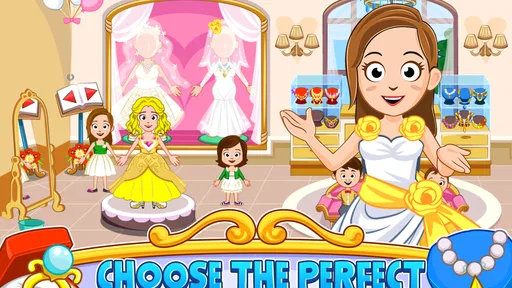
- Many characters and outfits offer plenty of customization options.
- Bright
- colorful visuals are appealing to younger children.
- Locations can be explored freely without strict objectives or timers.
- Offline play makes it suitable for travel and areas without internet.
Cons
- Some features and content may require additional purchases.
- The open-ended gameplay can feel repetitive after extended play.
- Limited guidance may leave younger players unsure what to do.
- Performance may vary on older phones or tablets.
- Frequent character and item interactions can feel fiddly on small screens.
FAQs for My Town : Wedding
What is My Town: Wedding, and what can you do in the game?
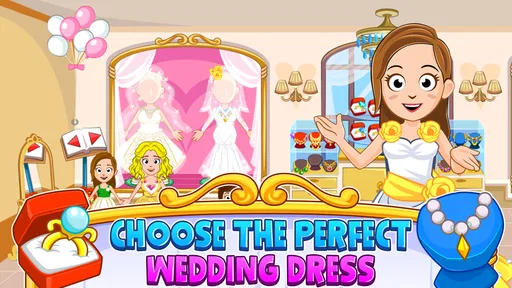
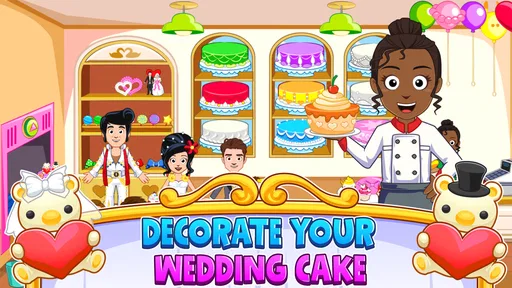
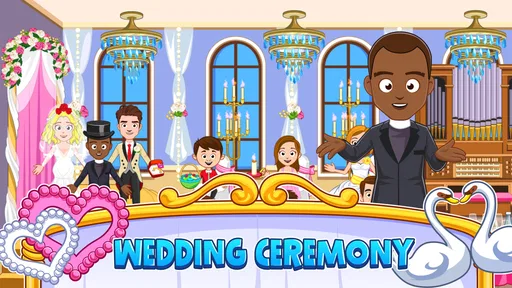
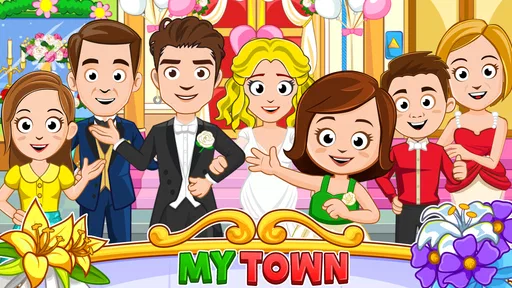
My Town: Wedding is a digital dollhouse-style role-playing game where you create stories around a wedding celebration. You can explore locations such as a wedding venue, prepare characters, choose outfits, arrange decorations, and interact with objects. There is no fixed storyline or required objective, so children can freely invent ceremonies, parties, family scenes, and other imaginative situations.
Is My Town: Wedding suitable for children?
The game is generally designed for children who enjoy creative pretend play, especially younger players who like dress-up games and interactive dollhouses. Its controls are simple, and there is no traditional combat or difficult challenge system. Parents should still review the app’s age rating, advertising, purchases, and privacy settings, because these details can vary depending on the device and current version.
Does My Town: Wedding require an internet connection to play?
Many of the game’s basic activities can usually be enjoyed offline after the application and its required files have been installed. However, an internet connection may be needed for downloading the game, receiving updates, restoring purchases, or accessing certain external features. Offline behavior can differ between Android and iOS versions, so it is best to test the game after installation before relying on it without internet access.
Are there in-app purchases or advertisements in My Town: Wedding?
The availability of advertising and in-app purchases may depend on the edition, platform, region, and current release of My Town: Wedding. Some content may be included immediately, while additional items or features could require payment. Before allowing a child to play, parents should check the store listing, configure purchase authentication, and use device-level parental controls to prevent accidental transactions.
What devices are compatible with My Town: Wedding?
My Town: Wedding is released for supported Android and iOS devices, but compatibility depends on the operating system version, available storage, and hardware performance. Older phones and tablets may experience slower loading, reduced responsiveness, or crashes, particularly when many characters and objects are placed together. Check the official Google Play or App Store listing for the latest requirements before downloading.


